
Image optimization
GioCompress
Optimize images on upload and manage optimization across your WordPress media library.
Explore GioCompressWordPress plugins by Giovanni Bevacqua
Practical WordPress tools for everyday website tasks. Explore the plugins, see how they work, and choose the features you need.
GioCompress · Image optimization
Add JPG or PNG files to the media library as usual. GioCompress steps in during the upload, before WordPress creates the thumbnails.
Original image
Example from a test site.
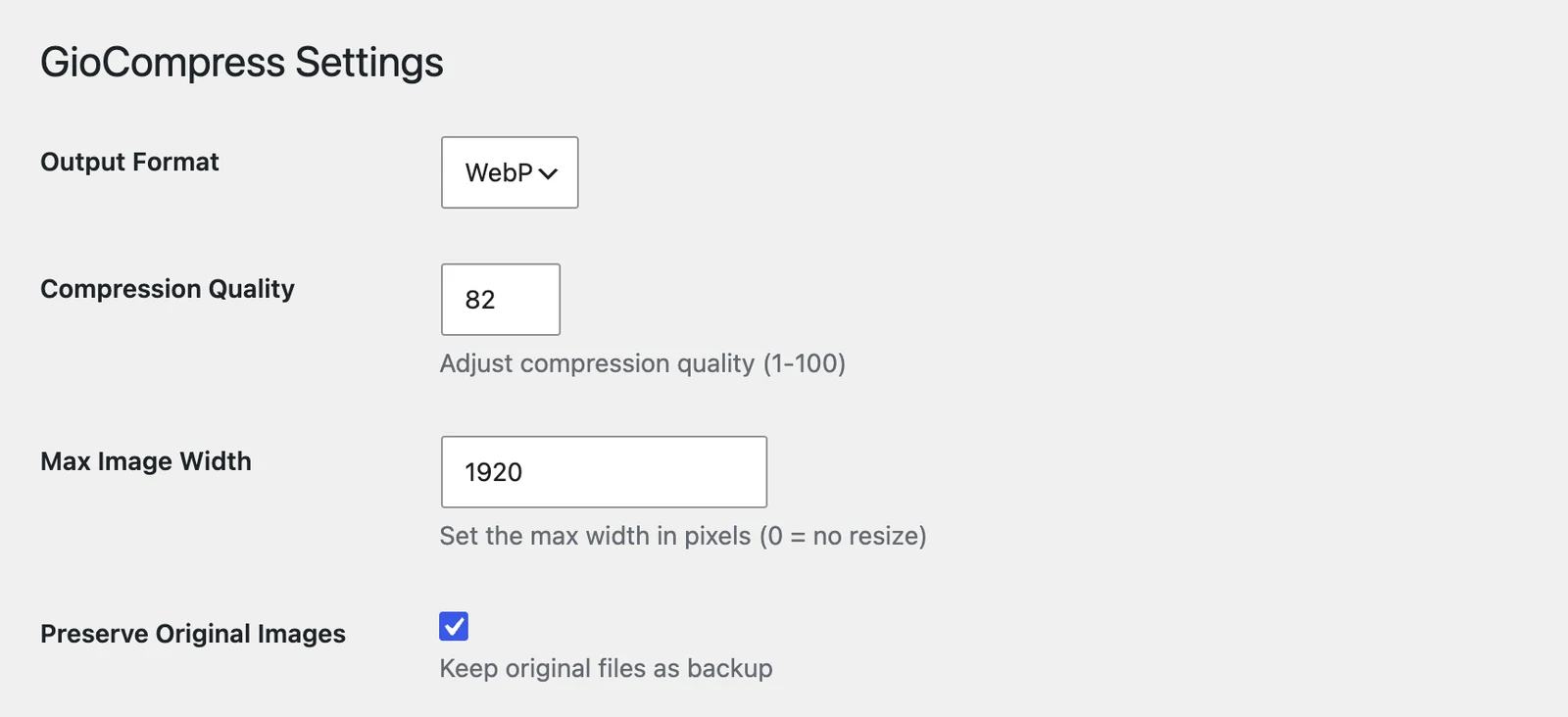
The file is converted to WebP on your own server. With Pro you can choose AVIF, set the compression quality and a maximum width.
GioCompress → Settings. AVIF, quality and maximum width are Pro.
With Pro, the Report page lists the original size, optimized size and saved percentage of every file.
−91.9% for this file
Example from the Report of a test site. Results depend on each image.
Original image
Example from a test site.
GioCompress → Settings. AVIF, quality and maximum width are Pro.
−91.9% for this file
Example from the Report of a test site. Results depend on each image.
GioContextAi · AI context
Then see which AI crawlers ask for it.
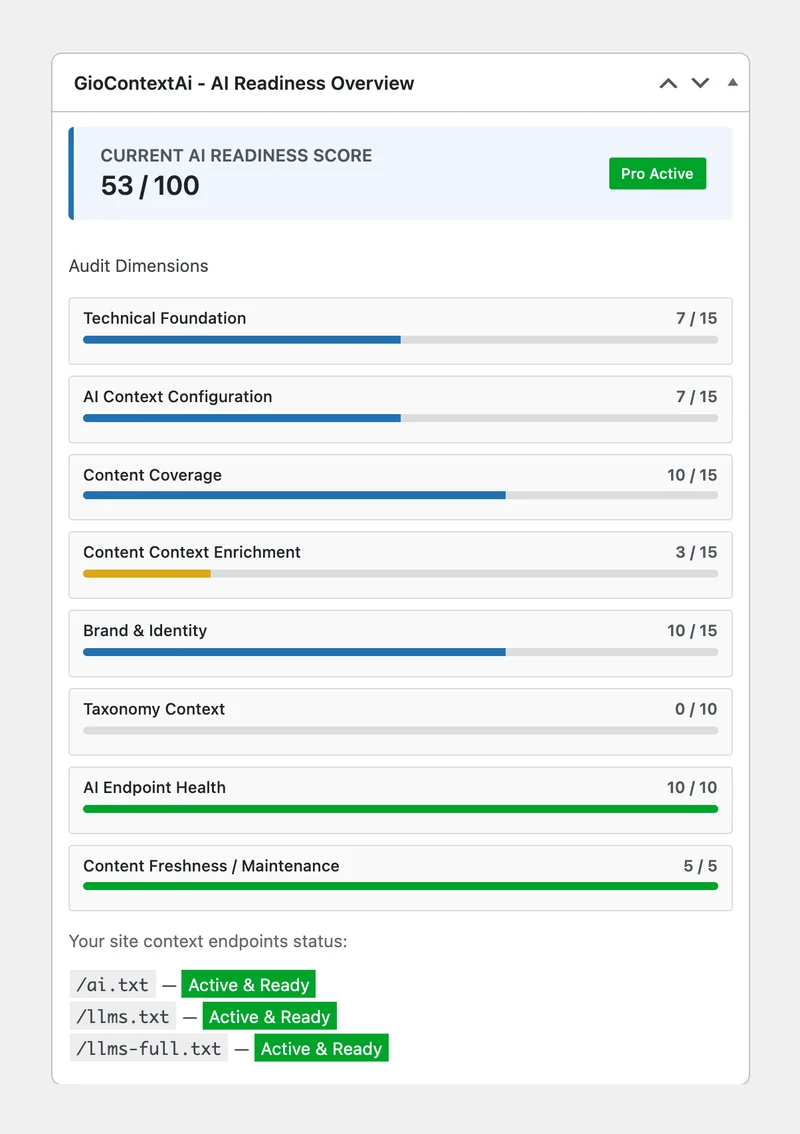
Illustration with example content.
The pages, posts and products you already publish in WordPress.
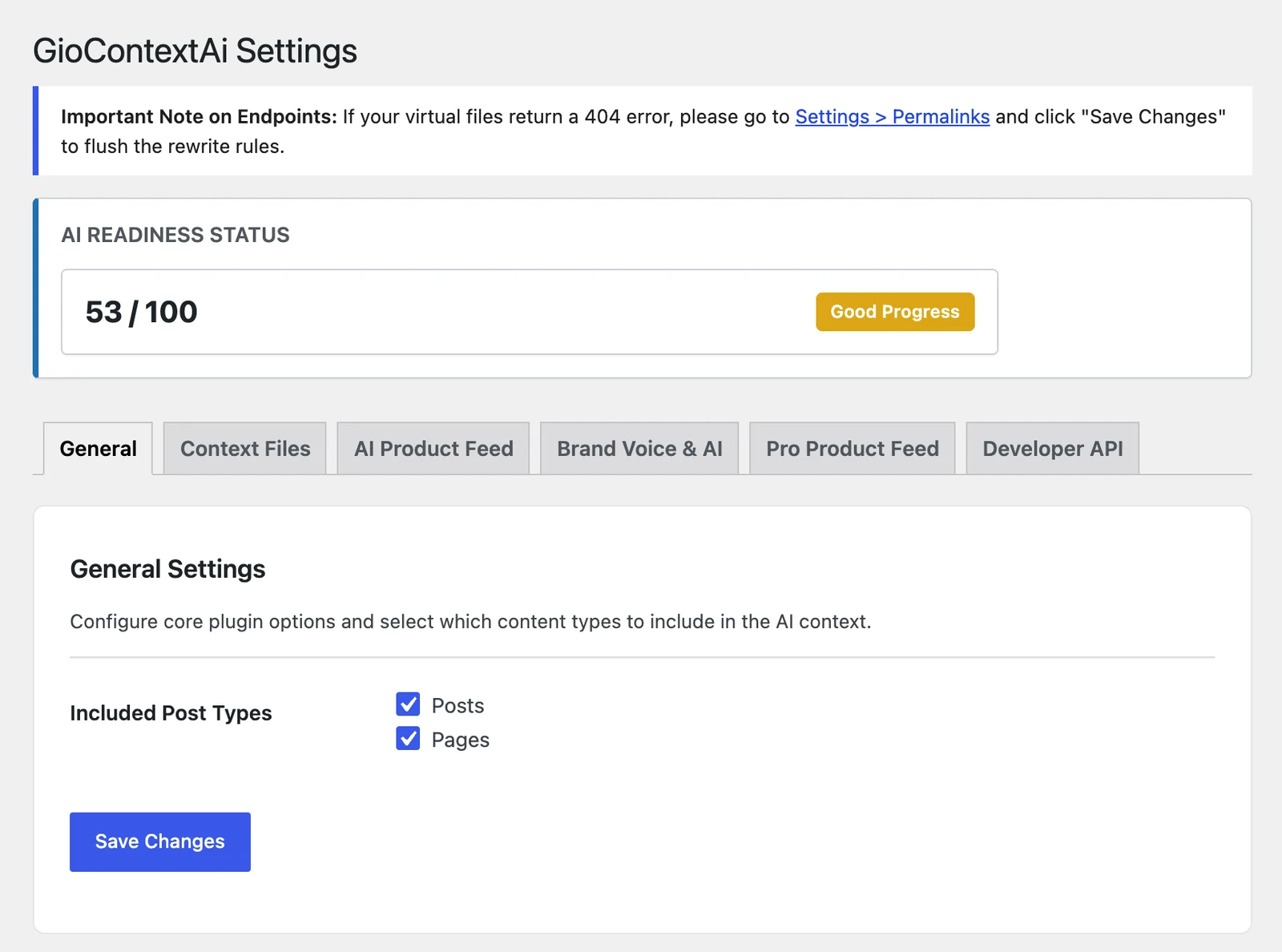
GioContextAi → Settings → General.
Select post types in the settings. Noindex, password-protected and system pages are left out automatically.
example.com/llms.txt
# Example Site
> Just another example tagline

## Resources
- [About us](https://example.com/about/)
- [How we work](https://example.com/how-we-work/)
- [Example product](https://example.com/product/example/)
Format generated by the plugin, with example data.
/llms.txt, /llms-full.txt and /ai.txt are served from your site and refresh when your content changes.
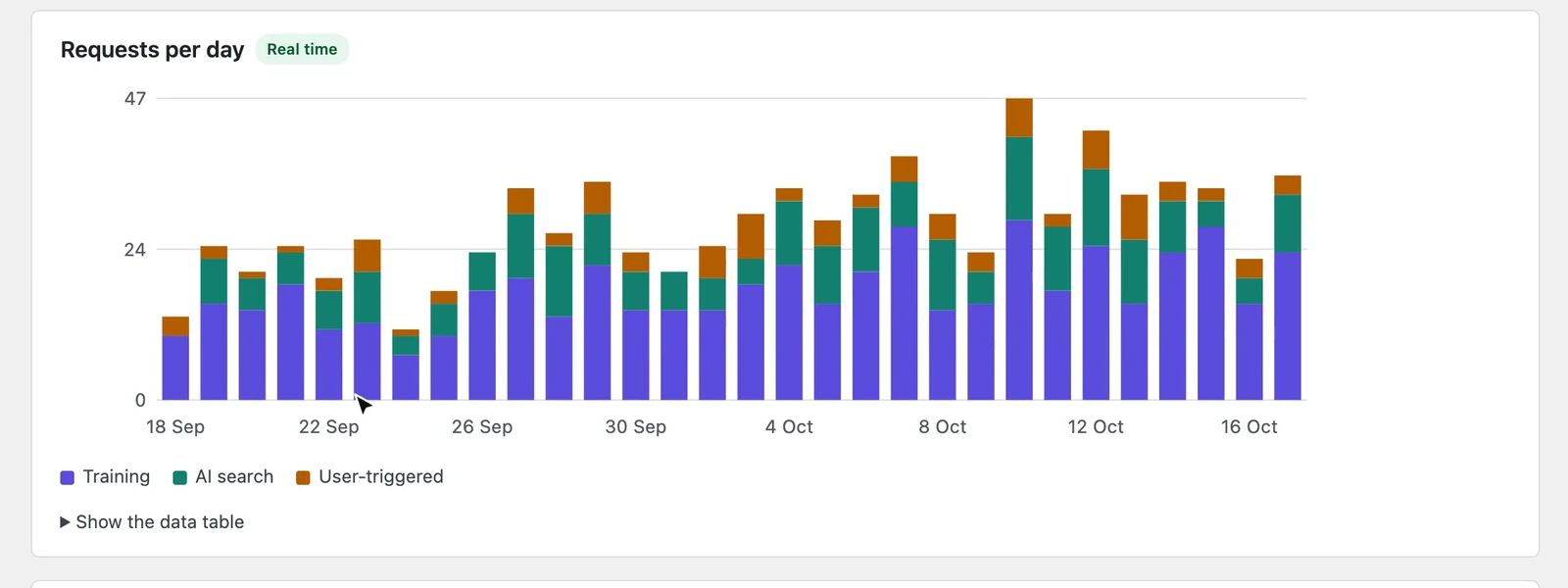
The AI Crawlers page counts the requests that GPTBot, ClaudeBot, PerplexityBot and other AI crawlers make to your site, by day, by type of crawler and by file, llms.txt included. With Pro, every post, page and product gets its own ranking and history.
Requests observed by WordPress, from declared user-agents. Demo site figures.
llms.txt is a proposed convention, not an official standard. Each AI system decides whether to read it. A crawler request does not show whether a page was used in an AI answer.
Each GioSuite plugin focuses on a specific part of your WordPress workflow.
Image optimization
Optimize images on upload and manage optimization across your WordPress media library.
Explore GioCompressAI context
Publish llms.txt and ai.txt from your WordPress content and see which AI crawlers request your site.
Explore GioContextAi
GioSuite is an independent WordPress plugin project by Giovanni Bevacqua, a full stack developer working across web applications, integrations and digital products.
Explore the available plugins and take a closer look at what each one can do.